Charming Hell
Project Info
GitHub: github.com/Roqum/CharmingHell
Play in Browser: roqum.itch.io/charming-hell
Working Hours: ~30h
The Beginning
The theme for the Winter Melon Jam 2023 was “Charm.” I was disappointed. I already had several cool game genres in mind that I was excited to try out. So my anticipation for the jam was huge. But “Charm”? What should I do with that? It did not fit any idea at all.
However, I had already set aside the three days, so I decided to give it a shot. The theme was announced around 6 pm., so I chose not to start programming that evening. Instead, I spent the rest of the night planning the following days and, most importantly, coming up with a game idea.
First Idea
After some brainstorming, inspiration struck me in the shower—I had an idea I was excited to pursue. I envisioned a small, city-building game where players attract residents to their plot of land. The goal would be to increase the “charm” of the area to encourage more people to settle there.
However, I was missing a clear game objective. In traditional city-building games, the enjoyment comes from complex systems that players explore and use to expand their city. It quickly became clear that I wouldn’t have the time to develop intricate, functional systems within a three-day window. So, I needed to define a different game objective to keep the project scope manageable.
The Shift to a High-Score Challenge
I decided to narrow the project’s scope by shifting the game’s main objective to collecting points within a set time limit. Rather than a relaxed city-builder, it became the complete opposite — a stressful race against the clock. Resources needed for construction also serve as points, and the available land for building (and generating income) shrinks rapidly. What first appears to be a “charming” game quickly turns into the exact opposite — hell. I am not sure but maybe this twist reflects my frustration with this year’s game jam theme.
The player’s high score is determined by the amount of gold they collect. However, spending gold to construct buildings is essential to increase gold income, creating a careful balance. Meanwhile, frequent natural disasters devastate the land, intensifying the challenge.
Now my idea was ready to be refined so that development can begin.
Game Plot
As the player, you take on the role of the villain — a ruthless landlord who just snagged a prime piece of land at a bargain price. Your goal? To rent it out and make as much gold as possible. To attract tenants willing to pay top dollar, you’ll need to make the land as “charming” as possible. The trick is to invest wisely so you can walk away with a hefty profit. Oh, and there’s an active volcano right next door that’s allready erupting, so you’ll have to act fast to collect rent before all the buildings are destroyed.
Gameplay Mechanics
Gameloop
The player starts the game with a single small house on the map and 100 gold. This gold can be spent to boost production by constructing new buildings. They need build building that produce charm so that he can have more villagers. More villagers means more gold income.
The round starts slowly, with a two tiles being struct by a catastrophe every few seconds. The longer the game goes on, the faster new catastrophes happen, and the more tiles are getting destroyed.
The game ends when the player has no remaining villagerd. The more gold they have at this point, the higher their ranking on the subsequent leaderboard.
Key Parameters
In this game, there are five key parameters:
- Gold
- Gold Income
- Population Count
- Maximum Population Capacity
- Total Charm
Gold
Gold serves a dual purpose: it’s the currency you need to build new structures, and it’s also your final score at the end of each round. To achieve the highest possible score, you’ll want to keep as much gold as possible by the end of the game. At the same time, you’ll need to spend gold to increase your gold income.
This creates a challenging balance for the player, who must carefully consider whether each investment will be worthwhile in the long run or end up costing more than it returns.
Gold Income
Gold income is straightforward: every 5 seconds, the player receives their income payout. The income amount is directly tied to the population count at a 1:1 ratio. For example, if the player has 100 residents, they’ll earn 100 gold every 5 seconds.
Population Count
As mentioned, the population count is essential for generating gold. You can increase the number of residents by constructing housing. However, the population is limited by the maximum population capacity. Once this limit is reached, building additional housing is no longer possible.
Maximum Population Capacity
The maximum population capacity is calculated based on the “Total Charm” using the following formula.
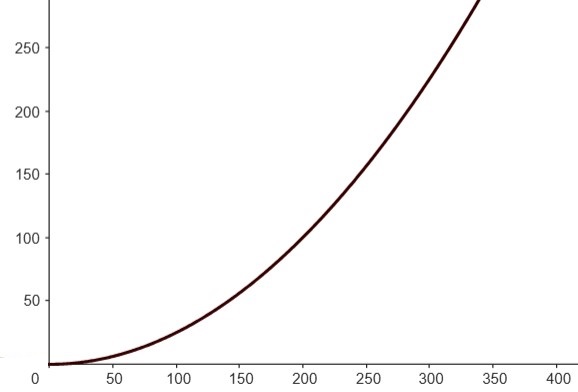
As you can see in the graph, the “total Charm” becomes more effectivly at increasing the capacity as it grows.
Total Charm
The overall charm is responsible for the maximum population capacity. This value is the foundation for kickstarting the gold income and can be increased by constructing specific buildings.
Buildings
| Building | Produces | Costs | Specials |
|---|---|---|---|
Small House  |
Villagers: 8 Charm: 2 |
Gold: 20 | None |
Medium House  |
Villagers: 12 Charm: 5 |
Gold: 50 | None |
Big House  |
Villagers: 30 Charm: 12 |
Gold: 100 | 2x1 Tile size |
Mine  |
Villagers: 0 Charm: 20 |
Gold: 30 | Can only be placed on mountain terrain |
Church  |
Villagers: 0 Charm: 50 |
Gold: 150 | 2x1 Tile size |
Castle 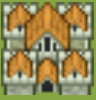 |
Villagers: 100 Charm: 30 |
Gold: 500 | 2x2 Tile size |
Terrain
| Terrain | Produces | Specials |
|---|---|---|
| Tree | Charm: 2 | - Blocks building placement - Destroyed on hit - Not Repairable |
| Bushes | Charm: 1 | - Blocks building placement - Destroyed on hit |
| River | Charm: 2 | - Can only be destroyed by lava |
| Lava | Charm: -2 | - Removes every placements on flooding - Starts at mountain - Randomly grows or stops (Gaussian distribution) |
| Sea | Charm: 2 | - Blocks Lava - Undestructible |
Implementation
Tilemap
For implementing the game world, I chose a tilemap system. Using multiple layers makes it easy to draw the map and also helps distinguish between the visual landscape and code-relevant objects.
In this project, I mainly used six layers:
- Ground/Terrain
- Rivers and Lakes
- Placements
- Selector
- Danger Zone
- Destroyed Layer
The Terrain and Rivers layers form the map’s scenery. The Placements layer contains all placeable objects, such as buildings and trees already positioned on the map. The Selector layer is solely for visually highlighting selected tiles, such as marking tiles in red when affected by a disaster or highlighting tiles while placing new buildings. The “Danger Zone” layer marks all tiles that could potentially be destroyed by a disaster. Lastly, there’s the “Destroyed Layer,” which marks all tiles that are already destroyed and no longer generate income.
Tile Data
Godot allows you to add custom data to a tileset. Individual values from this custom data can be assigned to specific tiles. By doing it this way, the data is available for each placement made from that tileset tile. I used this approach to store data for each building and terrain type. This simplifies the implementation, as I don’t need separate classes for buildings or placements with individually assigned values. It’s like each tileset tile acts as a struct containing all the data I need. For a game of this small scope, this approach works perfectly fine.
To calculate the total charm and number of villagers, I used a simple for-loop that iterates over each placement tile on the tilemap. Accessing the custom data of each tile, I can easily add up the charm and villager values.
Destryoing Tiles
At the beginning of the game, every 8 seconds, two tiles are destroyed by a random disaster. These disasters increase in severity over time. I could explain the implementation, but it’s pretty straightforward so I’ll just show you the code.
func initiate_disaster():
    disaster_counter += 1

    if disaster_counter % 3 == 0:
        number_of_disasters_at_once += 1

    if disaster_counter == 10:
        time_until_next_disaster = 5
        timer.start(time_until_next_disaster)

    if disaster_counter == 20:
        MusicPlayer.play_music("dramatic")
        time_until_next_disaster = 3
        timer.start(time_until_next_disaster)
So you see, if the music becomes “dramatic”, it is getting really bad.
To choose which field is getting destroyed I radomly choosed fields from the “danger zone” layer I meantioned before. If a field is selected, I look up it up in the placement. If there it is found in the placement layer, then something is placed there that can be destroyed. I dont care what it is, I just add this tile to the “destroyed layer” and let it burn by an fire texture. By adding it to the “destroyed layer” it is Later on ignored by the sum up of the total charm and villagers count.
Initially I thought about deleting the allready destroyed field from the “danger zone” layer so that destroyed field are not choosen by the randomness for the next distaster. But it turned out to imbalance the game pretty hard because the selectable fields are shrinking over time. So I did not implemented it but the “danger zone” layer still existed.
Lava Growth
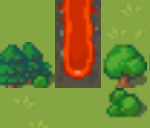
The lava flow starts from the mountain whenever a mountain tile is struck by a disaster. From that point onward, it’s randomly decided for each lava flow whether it will continue to grow or stop. Once a flow stops, it stops permanently. A Gaussian distribution was used for this randomness, as it provides a more “natural” random effect.
To achieve this, the end positions of each lava flow are stored in a vector. For each position in this vector, the Gaussian distribution determines whether it should be completely removed from the list (indicating the flow stops) or moved one position downward (indicating the flow grows).
This calculation is performed each time a disaster occurs. Since only the end pieces of the lava flow are considered, the computation is not too performance-intensive.
Animation and Art
There are many free pixel art assets available online. I chose two tilesets that matched each other stylistically, giving me a good selection of buildings and terrain.
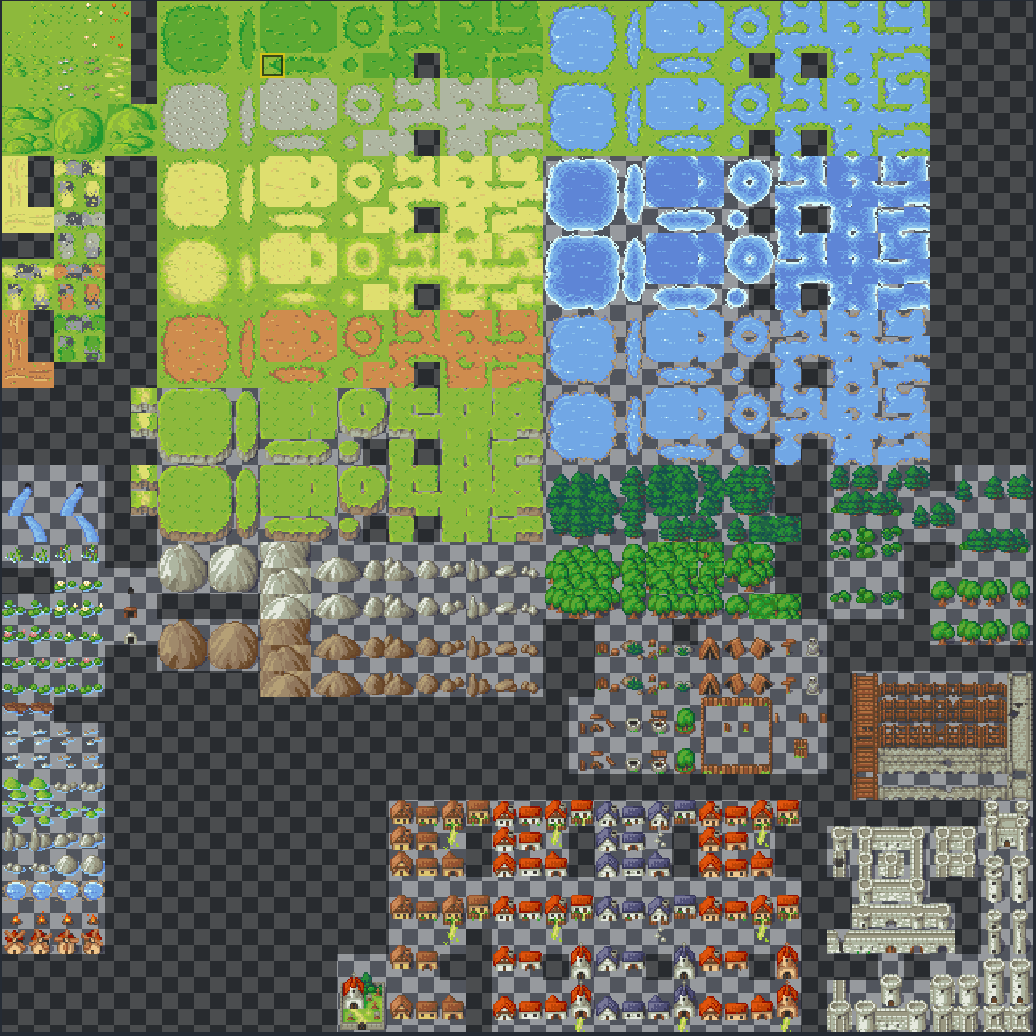
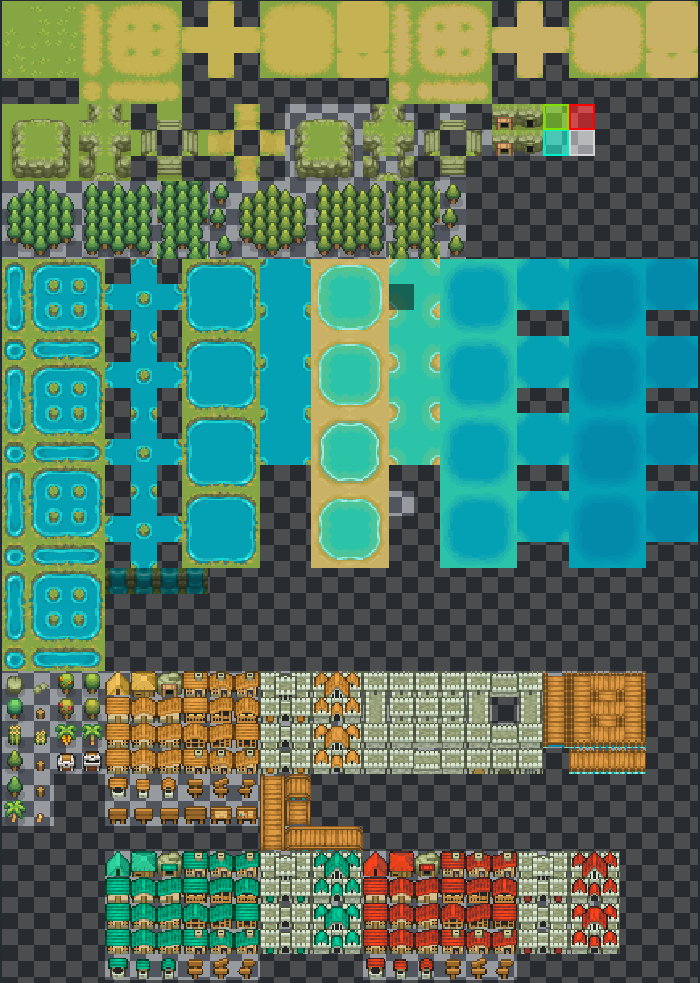
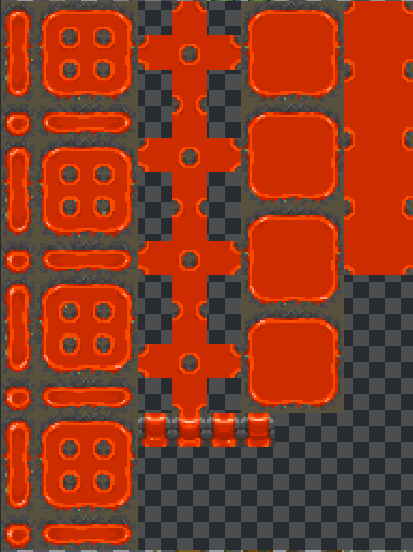
If you’re not familiar with tilesets, you might wonder why some tiles have the same texture multiple times—like with water, for example. But, isn’t one texture enough? Why are there four versions of the same set?
The reason for this are animations. What may look like identical textures at first glance are actually slight variations of a texture. When you play these textures in sequence, you create an animation. This can be seen, for example, with the waterfall: by cycling through these frames, the water appears to flow or cascade, adding dynamic movement to the scene.
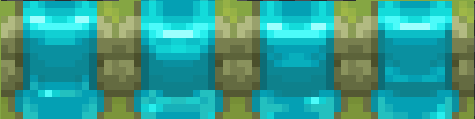
These four tiles are played in sequence within one second. The result is a simple animation that makes the waterfall appear as though it’s flowing. Thats why some tiles ofthe tileset have multiple similar textures.